Armani Knitwear Color Mismatch: Check Images, Specs, Order
Marcus Delgado · Editor in ChiefMarcus Delgado is Editor in Chief, covering Air Jordan silhouette history, retail launch timing, size-run fit mapping, and final score calls. They buy at retail where possible and use buying agents otherwise, filming the unboxing and checking the box label against the size tag. Marcus sets the final hands-on score after each ten-day wear block, with testing including 20 km of city pavement and a flex-cycle stress test they conduct personally. They sign off on the comparison table against two prior-year equivalents, connecting fit judgments, wear records, and comparisons.
If the color names, product images, and order summary on an Armani knitwear page don't match, don't pay or submit the order yet. First confirm that you're viewing the same product variant, then save page evidence and submit a clear color verification request to the current shopping agent. If the three pieces of information still can't be linked, pause the order. ## First Confirm the Page Actually Corresponds to Knitwear Currently verifiable [Fashionreps Armani](https://fashion-reps.net/brand/arm
Editor score 4.2 / 5
If the color names, product images, and order summary on an Armani knitwear page don't match, don't pay or submit the order yet. First confirm that you're viewing the same product variant, then save page evidence and submit a clear color verification request to the current shopping agent. If the three pieces of information still can't be linked, pause the order.
First Confirm the Page Actually Corresponds to Knitwear
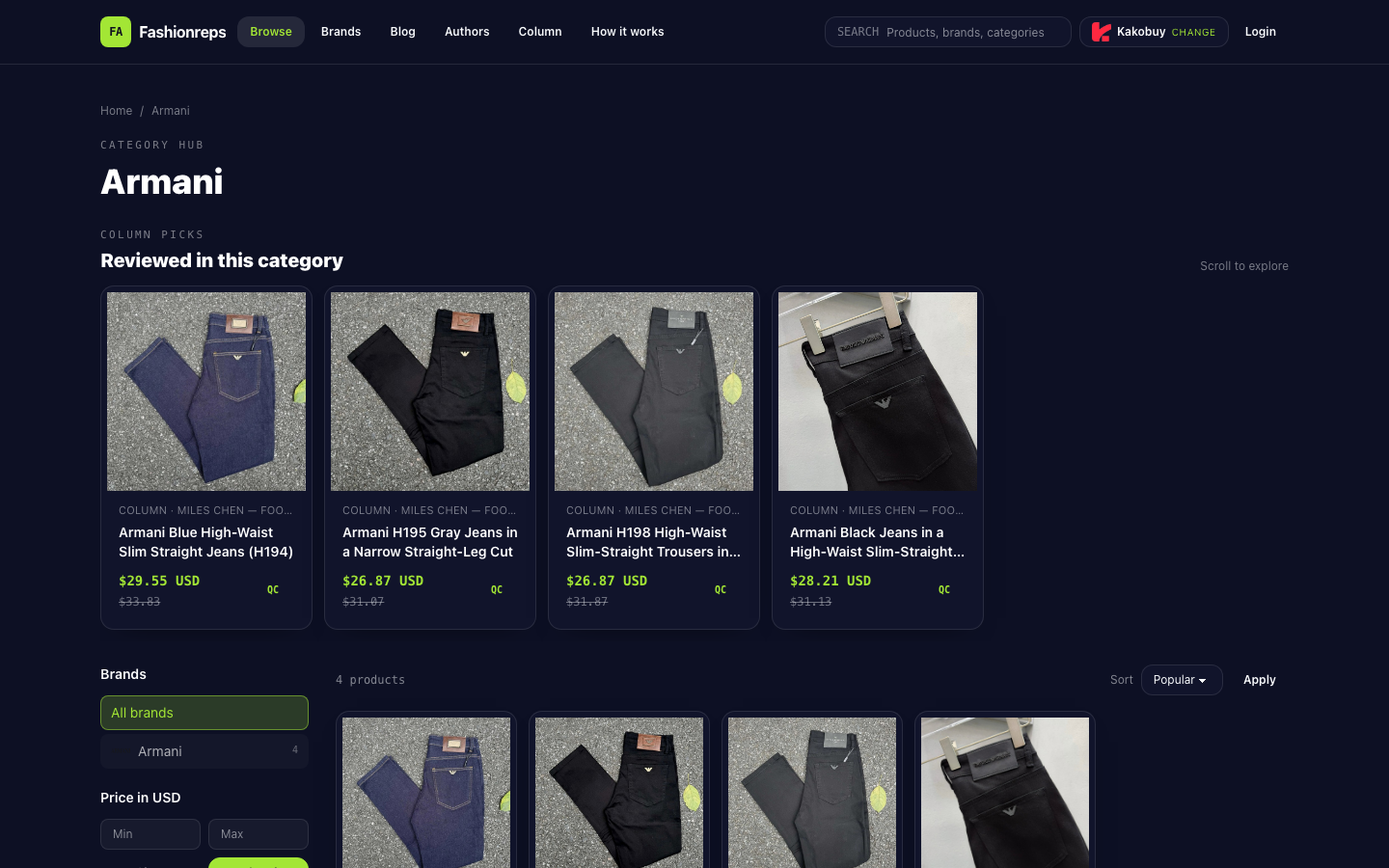
Currently verifiable Fashionreps Armani page evidence shows that the page is an Armani category page, with 4 publicly listed products all being pants, including blue high-waisted straight-leg jeans, gray slim straight-leg jeans, stretch slim straight-leg pants, and black high-waisted slim straight-leg jeans. Existing evidence is insufficient to confirm the specific color options, stock status, or order mapping of a particular Armani knitwear item, nor can it prove an actual website malfunction.
So when troubleshooting, check the following items first:
- Does the page title clearly indicate knitwear, rather than an Armani brand category page or another clothing category?
- Are the product link, product title, and variant number consistent throughout?
- Does the color selector belong to the current product, rather than a page filter or another product card?
- Does the product image change when switching color options, or does it always show the same set of images?

Image: Screenshot of Fashionreps Armani category page, for illustration of page verification scenario only, not as physical evidence of the knitwear's color, stock, or quality.
Compare the Three Pieces of Information Item by Item
Record how the same color is displayed in the product image, spec fields, and order summary. Don't rely solely on color swatches or visual impression, as color names may differ due to language, abbreviations, or internal coding.
| Verification Location | What to Record | Acceptable Result |
|---|---|---|
| Product Image | Whether the image changes after selecting a color, and whether it still shows the same product | Image matches the selected variant's appearance |
| Spec Fields | Color name, number, or other variant identifier | Consistent with the option in the selector, or clearly corresponding |
| Order Summary | Product name, color, size, and quantity | Exactly matches the final selection |
If the product image shows dark gray but the spec says black, or the selector shows one name and the order summary shows another, record the original text first; don't treat two names as synonyms on your own.
Four-Step Troubleshooting Process
1. Reload and Re-enter the Product Page
Close the current product page, then reopen it from the Fashionreps product entry. Confirm that the page isn't stuck on old cache, historical filter results, or another color variant. After reloading, recheck the product title, color options, and spec fields.
If the color options change after refreshing, use the refreshed page as the basis and save a new screenshot or text record. Don't continue based on pre-refresh memory.
2. Switch Color Variants One by One
Switch only one color at a time, and observe three changes: the main product image, detail images, and spec text. Record the displayed name for each color, and if necessary, also the variant number.
If the image doesn't change after switching colors, you can't directly conclude that there's no color difference or that the page is wrong. It may simply not have corresponding detail images. In this case, submit "image unchanged" as an item to be confirmed to the shopping agent.
3. Check the Order Summary, Don't Just Look at the Cart Thumbnail
After adding to cart, open the order or checkout summary and compare the product title, color, size, and quantity word by word. The cart thumbnail only helps identify the product; it cannot replace the text confirmation in the order summary.
If the order summary lacks color, shows a different color name, or the color name cannot be matched to the product page, don't submit the order yet. Save the contradictory parts between the product page and order summary, especially the original color text and variant number.
4. Submit Clear Questions to the Shopping Agent
Ask through the shopping agent entry or agent website customer service channel actually provided on the current page; don't treat the on-site product page as the payment, warehousing, or shipping party. The Fashionreps page indicates that orders, payments, and shipping are handled by external shopping agents, so final variant confirmation should be answered by the agent actually processing the order.
Your inquiry should include:
- Full product title and product link.
- Color name displayed on the page.
- Color name displayed in the order summary.
- Corresponding size, quantity, and variant number.
- Location where the product image and text are inconsistent.
- Ask the agent to explicitly confirm the actual purchased color and state whether the order summary will be saved according to that color.
You can ask the agent to confirm in writing whether "page selection, actual purchase, and order summary" are the same variant. Without a clear answer, don't substitute a vague customer service reply for confirmation.
When to Stop Placing the Order
Pause payment or order submission if any of the following occurs:
- Cannot confirm that the product title, color selector, and order summary belong to the same product.
- After selecting a color, the order summary automatically changes to another color without explanation.
- The color shown in the product image is clearly different from the text name, and the agent hasn't clarified.
- The order summary lacks color or variant number, making it impossible to determine the actual purchase.
- The product link is invalid, the page cannot be reopened, or the page content is inconsistent with the original record after refresh.
- The agent cannot clearly confirm the actual purchased color, only giving answers like "should be" or "probably."
In these cases, the main risk of continuing the order is not color preference, but inability to prove which variant the order record corresponds to. Keep page records, wait for agent confirmation, or choose a product with complete and verifiable information.