Bottega Veneta QC Gallery Opens Empty: What to Check
Marcus Delgado · Editor in ChiefMarcus Delgado is Editor in Chief, covering Air Jordan silhouette history, retail launch timing, size-run fit mapping, and final score calls. They buy at retail where possible and use buying agents otherwise, filming the unboxing and checking the box label against the size tag. Marcus sets the final hands-on score after each ten-day wear block, with testing including 20 km of city pavement and a flex-cycle stress test they conduct personally. They sign off on the comparison table against two prior-year equivalents, connecting fit judgments, wear records, and comparisons.
If the Bottega Veneta QC gallery opens with no images, don't immediately interpret an empty gallery as poor quality, counterfeit goods, or the seller not shipping. A more prudent approach is to first confirm the product identity, then re-enter the QC entry for the same product to ensure the page displays the correct style, variant, and order. ## First record the information that can be confirmed on the page Before refreshing or leaving the page, s
Editor score 4.2 / 5
If the Bottega Veneta QC gallery opens with no images, don't immediately interpret an empty gallery as poor quality, counterfeit goods, or the seller not shipping. A more prudent approach is to first confirm the product identity, then re-enter the QC entry for the same product to ensure the page displays the correct style, variant, and order.
First record the information that can be confirmed on the page
Before refreshing or leaving the page, save the following:
- Product title: Bottega Veneta Woven Style Black Bag
- Product color, size, or other variant information; do not fill in items not shown on the page
- SKU: SPU-OKSXAGATFZ
- Product details page URL and QC page URL
- Time of viewing, and a screenshot of the empty gallery page
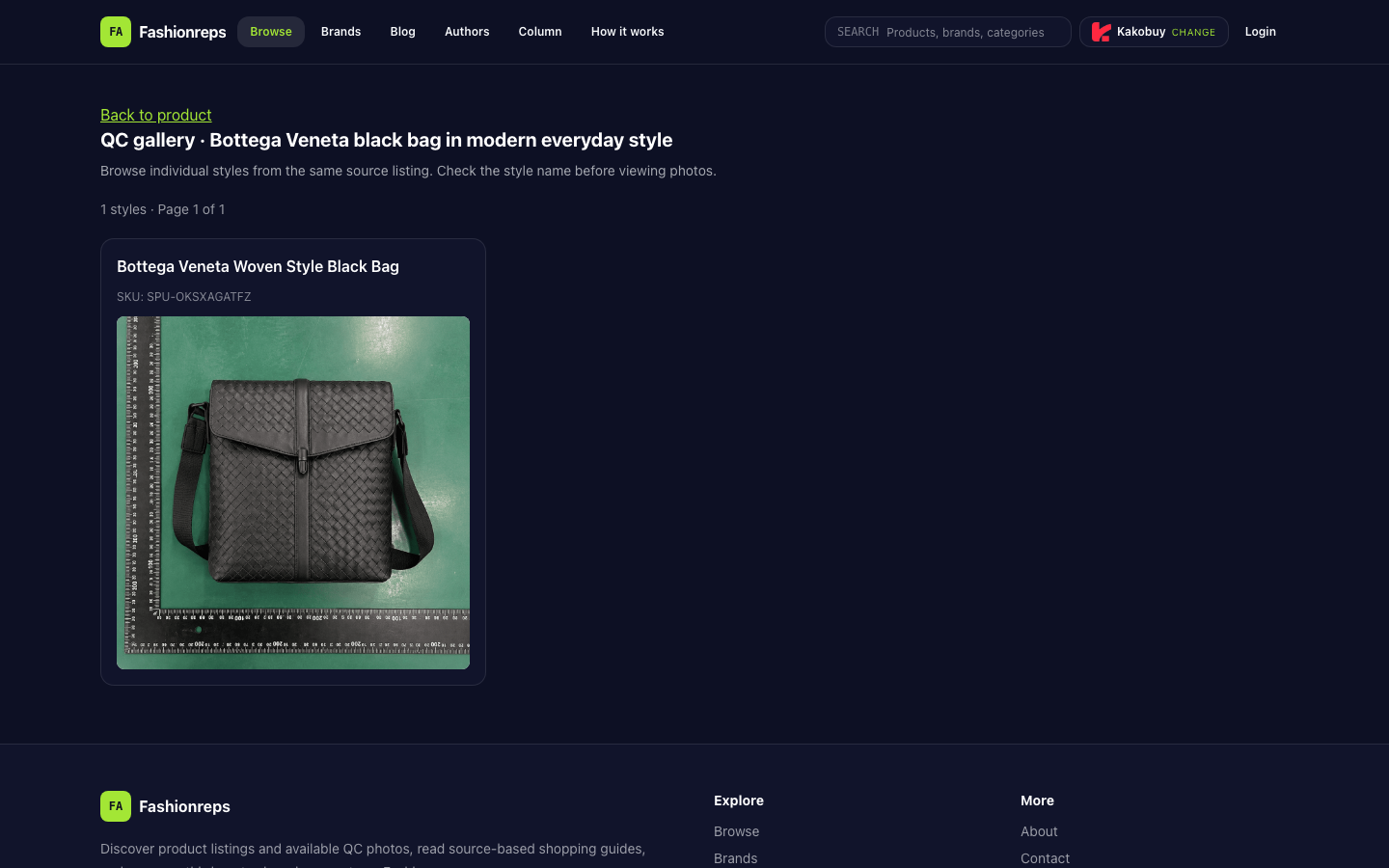
The verified product QC page shows that this sourced product has only 1 style and lists the above product name and SKU. This page fact only proves the catalog information corresponding to the current entry, and cannot prove that a specific order has completed inspection, nor can it prove the reason for missing images.

Image: Screenshot of the product QC entry catalog page, for illustration of the entry and style information only, and does not represent the actual QC results of any individual order.
Recheck the QC entry in order
1. Re-enter from the product details page
Do not just repeatedly refresh the already opened blank page. Return to the product details page, confirm the product title and style, then click the QC photos entry named View QC Photos or equivalent. If entering from search results, favorites, or old messages, first confirm they still point to the same product page.
2. Check login status
If the page requires login, complete login first, then reopen the QC entry. If still empty after login, close the old tab and re-enter from the product details page to avoid continuing to use the cached page state from before login.
3. Verify the variant is still selected
Pay special attention to color, size, and style selection. Even with the same product name, different variants may correspond to different image records. If the page returns to the default variant, first re-select the options used when ordering, then open the QC gallery.
4. Distinguish between "loading" and "truly no images"
Observe whether the page still shows loading prompts, blank placeholders, or changes in quantity information. After a short wait, perform a page-level refresh; do not click multiple entries rapidly, and do not repeatedly create orders or request inspections when the result is unclear.
If the page still consistently shows zero images after re-login, re-entry, and confirming the variant, only then can you record it as "the current entry does not display QC images", rather than "the product quality is substandard".
5. Cross-check order-related information
If the QC page is separate from the order system, verify that the order number, product line item, SKU, and variant match. A catalog page being accessible does not mean it is linked to your order; conversely, the existence of an order does not mean the corresponding images have been uploaded.
How to decide whether to continue waiting, request a reshoot, or pause shipment
You can handle it according to the following criteria:
- Entry, login status, or variant uncertain: pause judgment, complete verification before re-entering.
- Page still shows loading status: keep a screenshot, wait for the page status to be clear, do not treat loading as no images.
- Order confirmed, but QC gallery remains empty: request images from the customer service of the purchasing platform or agent to which the order belongs, and ask them to verify the order number, SKU, and variant.
- Images appear, but cannot be confirmed to belong to the order: do not release shipment based on this until order association is confirmed.
- When there are no images, no order association confirmation, and no other acceptable inspection evidence: pause the shipment decision.
What to provide when seeking help from customer service
Submit information through the customer service or ticket entry available on the product details page or the platform to which the order belongs. Provide complete fields at once to reduce back-and-forth confirmation:
- Order number
- Product title
- SKU: SPU-OKSXAGATFZ
- Color, size, and style at time of order
- Product details page URL
- QC page URL
- Screenshot of the empty page
- Time of reproduction and the login account used
- Steps already tried: re-login, entering from details page, re-selecting variant, refreshing page
The request should be specific, for example: "Please confirm whether QC images have been generated for this order; if generated, please resend images corresponding to the order, SKU, and variant; if not yet generated, please inform the expected processing status." Do not just ask "Is this authentic?" because an empty gallery cannot answer authenticity questions.
When to stop further operations
If any of the following situations occur, it is recommended to pause shipment or subsequent payment operations and wait for a clear reply from the order party:
- QC entry remains empty, and customer service cannot confirm whether it is linked to the order
- SKU or variant displayed on the page does not match the order record
- Images provided by customer service cannot correspond to the order number, product style, or variant
- Page status changes repeatedly, and it is impossible to confirm whether the images belong to the current order
- Additional payment, style change, or reorder is required, but the other party has not explained the relationship between the original order and the QC images
The currently verifiable information only includes the existence of the product QC page, that the page lists 1 style, and the product name and SKU. There is insufficient evidence to determine whether the empty gallery is due to platform loading issues, order not yet linked, images not yet uploaded, or other backend reasons. Therefore, until QC images clearly corresponding to the order and variant are obtained or customer service confirms, an empty gallery should not be taken as a quality conclusion, nor should the product be directly considered ready for shipment.