Hellstar Hoodie Savings Check Before Checkout
Marcus Delgado · Editor in ChiefMarcus Delgado is Editor in Chief, covering Air Jordan silhouette history, retail launch timing, size-run fit mapping, and final score calls. They buy at retail where possible and use buying agents otherwise, filming the unboxing and checking the box label against the size tag. Marcus sets the final hands-on score after each ten-day wear block, with testing including 20 km of city pavement and a flex-cycle stress test they conduct personally. They sign off on the comparison table against two prior-year equivalents, connecting fit judgments, wear records, and comparisons.
If you're looking at Hellstar hoodies on fashion-reps, the real issue to solve isn't "how much can I save"—it's how to confirm before checkout that the item price, discounts, service fees, packaging, shipping, and exchange rates are all accounted for in your budget. This guide focuses on one task: before submitting an order, record visible conditions item by item, and exclude unconfirmed savings from your budget. After reading, you should be able to c
Editor score 4.2 / 5
If you're looking at Hellstar hoodies on fashion-reps, the real issue to solve isn't "how much can I save"—it's how to confirm before checkout that the item price, discounts, service fees, packaging, shipping, and exchange rates are all accounted for in your budget. This guide focuses on one task: before submitting an order, record visible conditions item by item, and exclude unconfirmed savings from your budget.
After reading, you should be able to create a reviewable pre-checkout record, know which amounts are already confirmed on the page or in the checkout process, which conditions still need to be clarified with the shopping agent, and when to hold off on payment. This article does not cover refunds, after-sales, or logistics disputes after payment, nor does it treat coupons that aren't displayed, historical prices, or other platform listings as current facts.

Define the Single Task for Hellstar Hoodie Budget Verification
First, write your budget goal in one sentence: with the specified style, color, size, quantity, and destination unchanged, confirm the actual amount due for this order, and whether any discounts have truly taken effect.
Don't count "possible discounts" as savings upfront. Only when the discount entry is accessible, the applicable conditions are clear, and the checkout page has already reflected the adjusted amount can you record it as a confirmed discount. Promotional text on the page, expired campaigns, or discount codes with unclear applicability should only be listed as items to verify.
It's recommended to fix the following information before starting verification:
- Specific Hellstar product style or SKU
- Color, size, and quantity
- Destination country/region and postal code
- Checkout currency and the time when the exchange rate was recorded
- Selected shopping agent or actual ordering channel
- Verification date
⚠️ If any of these conditions change, the item total, available discounts, or logistics quotes may change.
Record the Style, Color, Size, and Current Price from the fashionreps Product Page
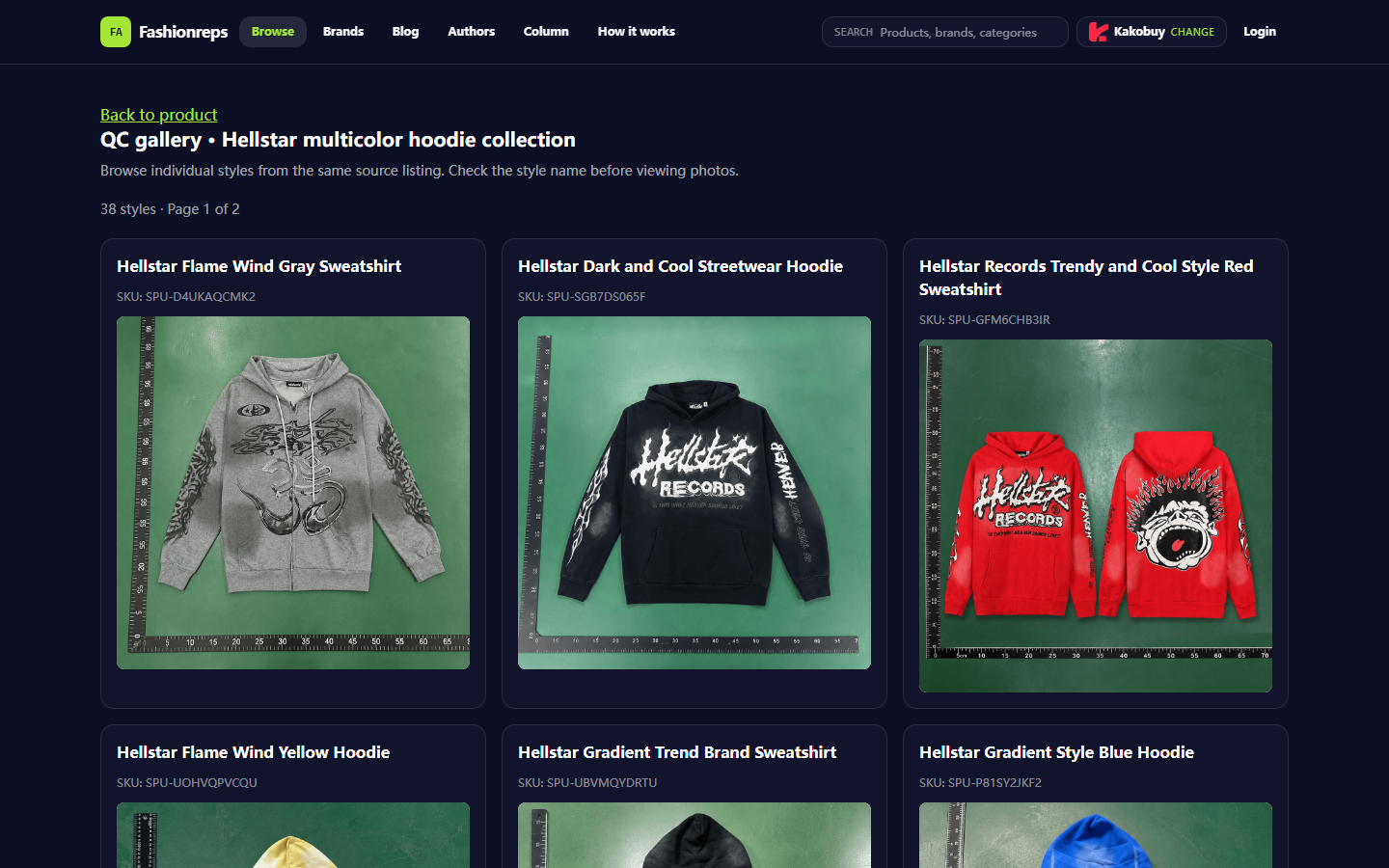
The Hellstar multi-style collection page on fashion-reps displays multiple styles from the same source and suggests confirming the style name before viewing photos. The currently visible QC page lists 38 styles, including hoodies and sweatshirts in different colors and names, such as Hellstar Flame Wind Yellow Hoodie, Hellstar Dark Style Hoodie, and Hellstar Cool Black Hoodie. Similar names may correspond to different SKUs, so you can't build a budget based only on thumbnails or abbreviations like "black hoodie."
First record the explicit style name and SKU shown on the product page, then go to the shopping agent page to check:
- Does the product title correspond to the same style?
- Are the color options consistent with the target image or product options?
- Is the size still available?
- Is the quantity correct?
- Is the current item price displayed again on the order page?
If the product page doesn't provide a price, or the price is only shown on an external agent page, write down the source of the item price clearly. Do not use prices from other styles, sizes, or historical screenshots as a substitute for the current item price.
Check Current Visible Discount Entry, Threshold, Validity, and Exclusions
Discount verification should start from the entry, not work backward from the discounted result. Check the product page, shopping cart, agent account activity entries, and checkout page in sequence. For each discount, record the following:
- Discount name or identifying text displayed on the page
- Applicable items, regions, accounts, or order conditions
- Whether there is a minimum spend, quantity limit, or payment method restriction
- Start and end times; if no explicit dates, mark as unconfirmed
- Whether it excludes specific items, shipping, service fees, or taxes
- Whether the checkout page has actually applied the deduction
Don't assume a discount is valid just because the button is clickable. Some discounts apply only to first orders, specific routes, specific accounts, or designated items. If the checkout page doesn't show the deduction, the budget should be calculated at the undiscounted amount.
You can use the following status table when recording:
| Item | Confirmed Recording Method | Handling When Unconfirmed |
|---|---|---|
| Item discount | Checkout page shows explicit deduction | Not counted as savings |
| Shipping discount | Logistics option or checkout page clearly shows | Keep at undiscounted state |
| Service fee reduction | Fee breakdown shows a reduction line | Not proactively deducted from service fee |
| Coupon or campaign | Conditions, validity, and applicable scope complete | Mark as to be clarified |
Check Service Fees, Payment Fees, Packaging, and Logistics Conditions
Item price is only part of the budget. Before checkout, record at least the following items separately: item amount, shopping agent service fee, payment channel fee, warehouse handling or packaging fee, international shipping, and possible destination taxes or import-related fees.
Different items may appear in different places. The product page usually only helps you confirm item information; service fees and payment fees may not appear until the agent's cart or payment page, and packaging and logistics conditions may only be determined at the warehouse or shipping step. Fees that are not displayed cannot be assumed to be zero.
Pay special attention to the relationship between packaging and logistics. Combining packages may reduce repeated first-weight or some handling costs, but it may also increase the package's volumetric weight, declared value, or single-package loss risk. Splitting packages may increase fixed fees, but could be suitable for route restrictions, item restrictions, or reducing concentrated risk in a single package. Whether it saves money must be based on comparing quotes under the same destination, same items, and same declaration conditions.
🚚 Logistics prices can also be affected by weight, volume, route, item category, packaging method, and destination restrictions. Without these parameters, you can only say the fee is pending verification and cannot promise that a particular option is cheaper.
Record the Calculation Process After Fixing Destination, Quantity, and Package Parameters
To make comparisons meaningful, fix at least one set of order parameters. Don't directly compare estimated shipping for a single item with an actual quote for multiple items combined, and don't apply route conditions from one country to another.
You can record in the following order:
- Confirm style, color, size, and quantity.
- Record the item amount shown on the product page or agent page.
- Record service fees, payment fees, and packaging fees; mark undisclosed items as pending confirmation.
- Select the destination country/region and enter the accurate postal code.
- Record available shipping routes, chargeable weight, or volume information.
- Record the exchange rate and currency shown on the checkout page; if the rate isn't displayed, note that the actual charge may vary.
- List active discounts separately, not mixed with unconfirmed discounts.
- Save the verification date and page status for rechecking before payment.
The budget can be divided into two tiers:
- Confirmed budget: item amount, fees, and active discounts already displayed on the checkout page.
- Risk reserve budget: unconfirmed shipping, taxes, exchange rate changes, packaging adjustments, or discounts that cannot be applied.
💱 Exchange rates are not fixed savings. Even if the page shows a discount, the payment conversion method, card issuer fees, or account currency may affect the final charge.
Distinguish Between Active Discounts on the Checkout Page and Pending Conditions on the Info Page
The key to determining whether a discount can be written into the budget is whether it has already been applied to the current order. An info page or campaign page only proves that "a discount entry exists," not that it applies to your style, account, destination, and order amount.
Before checkout, you can organize information with three labels:
- Confirmed: the current order details already show the corresponding amount change.
- Conditions met but not posted: seems to meet the criteria, but the checkout page hasn't shown the deduction yet.
- Conditions unknown: missing validity, applicable items, regions, or account conditions.
Only the first category can be deducted from the budget. The second category needs to be refreshed or confirmed with agent customer service, and the third category should not be included in estimated savings.
🧾 If screenshots or records contain addresses, phone numbers, order numbers, payment information, or complete waybills, cover personal information before sharing. Verifying discounts does not require publicly sharing complete order details.
How to Preserve Uncertainty When There Are No Real-Time Coupons or Rates
If there are no verifiable real-time coupons, shipping quotes, or complete fee breakdowns, the safest approach is to keep the original amounts and write the missing information as a list of questions rather than estimating a "possible savings" amount on your own.
You can ask the shopping agent:
- Does this discount apply to that Hellstar style and current size?
- Does the discount apply to fees other than the item amount, such as service fees or shipping?
- What shipping routes are available for the destination and postal code?
- Will packaging, consolidation, or warehouse handling incur additional fees?
- At what time and in what currency will the exchange rate be settled?
- Are destination taxes or import fees borne by the recipient?
If they cannot confirm, keep a sufficient cost margin before proceeding to checkout. Do not use expressions like "usually," "roughly," or "should be okay" to replace the actual details of the current order.
Checklist After Verification: Continue Checkout, Ask Questions, or Hold Off
When the following items have all been checked and recorded—style, color, size, quantity, item price, active discounts, service fees, payment fees, packaging conditions, shipping route, currency, and destination information—you can proceed to the next step of checkout.
If only the discount conditions are unclear, ask first; do not pay based on the discounted amount. If shipping or packaging fees are still not displayed, keep the budget at unconfirmed costs and confirm whether the payment page allows reselecting the route at the warehouse stage. If the item information, size, or SKU doesn't match, hold off on ordering and go back to the product page to recheck.
Finally, use four questions to decide:
- Is the discount I see already active on the checkout page?
- Are there still undisclosed service fees, packaging fees, shipping fees, or taxes?
- Are the destination, quantity, and package conditions consistent with the budget record?
- If the discount fails or fees increase, am I still willing to complete the purchase?
Only if the answers are clear can you use the confirmed amounts as the basis for your budget. When there are no real-time rates or coupons, do not claim that any amount has been saved; actual savings, additional risks, and final applicability must be based on the settlement details of the current order.