How to Verify Clinique Beauty Device Coupons
Marcus Delgado · Editor in ChiefMarcus Delgado is Editor in Chief, covering Air Jordan silhouette history, retail launch timing, size-run fit mapping, and final score calls. They buy at retail where possible and use buying agents otherwise, filming the unboxing and checking the box label against the size tag. Marcus sets the final hands-on score after each ten-day wear block, with testing including 20 km of city pavement and a flex-cycle stress test they conduct personally. They sign off on the comparison table against two prior-year equivalents, connecting fit judgments, wear records, and comparisons.
When verifying Clinique beauty device coupons on Fashion-reps, the first step is not entering the code, but confirming whether the offer actually applies to your device model. Only when the model, variant, offer conditions, and checkout total all match can you determine if the discount is valid and whether the final amount actually decreased. ## First Confi
Editor score 4.2 / 5
When verifying Clinique beauty device coupons on Fashion-reps, the first step is not entering the code, but confirming whether the offer actually applies to your device model. Only when the model, variant, offer conditions, and checkout total all match can you determine if the discount is valid and whether the final amount actually decreased.

First Confirm the Product on the Current Page
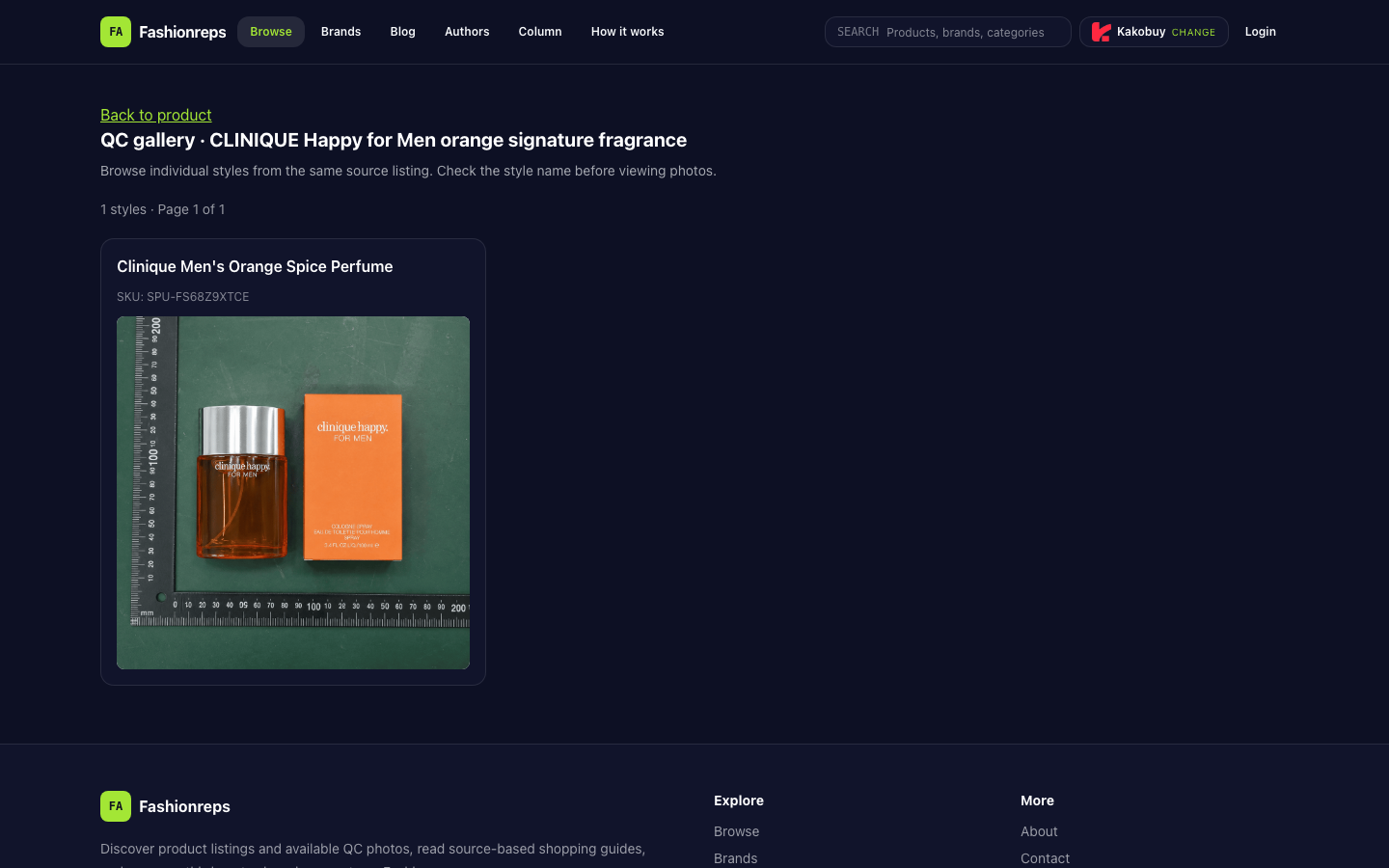
As of October 31, 2026, the currently verifiable Fashion-reps page evidence shows that the page corresponds to Clinique Men's Orange Spice Perfume, SKU SPU-FS68Z9XTCE, and is a QC product page. Existing evidence does not show any Clinique beauty device model, device variant, coupon code, or device-specific discount.
Therefore, you cannot assume a coupon applies to a beauty device just based on the Clinique brand or related words in the product title, nor can you use this perfume product page as a basis for purchasing a beauty device. The product currency, inventory, shipping, and final checkout amount are not confirmed in the current evidence.
Check Coupon Eligibility by Model
Open the specific beauty device product page and record the following information first:
- Full product name and model, such as device series, generation, or set name.
- Currently selected variant, including color, capacity, set combination, or accessory version.
- Price and currency displayed on the product page.
- Whether the product consists of a single device, a device set, or a combination of device and consumables.
- Coupon display location, coupon text, applicable product description, and validity period.
The coupon's scope of application must correspond item by item with the actual order. If the coupon only lists a certain series, specific set, or specific variant, it cannot be automatically extended to other devices of the same brand. If the page does not show a clear model, or if the product title is inconsistent with the variant selection, pause payment and confirm with platform support first.
Check Offer Conditions Item by Item
Before checkout, compare the coupon conditions with the order contents item by item:
- Confirm the coupon source, distinguishing between product page offers, account offers, campaign page offers, and coupons issued separately by customer service.
- Confirm the applicable model, checking whether sets, specific colors, limited editions, or other variants are excluded.
- Confirm the minimum spending threshold, and determine whether the threshold is calculated based on the product subtotal or the amount after other discounts.
- Check exclusions, such as new products, clearance items, specific brands, specific regions, or certain payment methods.
- Check the validity period and time zone; you cannot assume the offer is still valid just because the page still displays the coupon.
- Check account restrictions, such as new users, specified accounts, one per person, or users in specific regions.
- Check stacking rules, confirming whether it can be used simultaneously with product discounts, full reductions, member benefits, or shipping discounts.
If any of these offer conditions is missing, you can only treat it as information pending verification and cannot write it as a confirmed discount in articles or purchase records.
Verify the Final Amount Due This Way
Whether the coupon actually saves money must be checked on the real-time checkout page, not just the promotional amount on the product details page. It is recommended to save a screenshot of the checkout page before payment and record the following in order:
| Item | Check Content |
|---|---|
| Product subtotal | Original amount of the device and selected variant, and whether product-level discounts are already included |
| Discount | Coupon code name, discount amount or percentage, and the part of the order it applies to |
| Service or handling fee | Whether new or changed fees appear after applying the coupon |
| Payment fee | Whether different payment methods incur additional fees |
| Shipping | Whether calculated separately, and whether waived after meeting conditions |
| Final amount due | Actual amount and currency displayed on the page before submitting payment |
If the coupon status only changes to "Applied" but the product subtotal, fees, or final amount due do not change significantly, you should not assume money was saved. Some offers may only apply to the product subtotal and cannot offset service fees, payment fees, or shipping; or there may be no actual reduction because the threshold was not met.
Do Not Proceed with Payment When Evidence Is Insufficient
The currently verifiable materials only confirm a Clinique perfume QC page and cannot support specific coupon codes, discount amounts, minimum thresholds, exclusions, validity periods, stacking rules, or final savings for beauty device coupons. There is also insufficient evidence to confirm that this product page is a beauty device purchase page.
If you are planning to purchase a Clinique beauty device, collect the following information before making a decision:
- Screenshots of the actual beauty device product page and selected model.
- Screenshots of the complete coupon or campaign page.
- Account region and coupon scope of application.
- Product subtotal, fees, shipping, and final amount due before and after the coupon on the checkout page.
- Clear response from platform support regarding model eligibility and stacking rules.
Until this information is complete, do not treat brand promotional offers as valid for the current model, and do not pay in advance just because the page shows the coupon code can be entered.