Stussy Tee Coupon Verification: Expiry, Minimums, Checkout
Marcus Delgado · Editor in ChiefMarcus Delgado is Editor in Chief, covering Air Jordan silhouette history, retail launch timing, size-run fit mapping, and final score calls. They buy at retail where possible and use buying agents otherwise, filming the unboxing and checking the box label against the size tag. Marcus sets the final hands-on score after each ten-day wear block, with testing including 20 km of city pavement and a flex-cycle stress test they conduct personally. They sign off on the comparison table against two prior-year equivalents, connecting fit judgments, wear records, and comparisons.
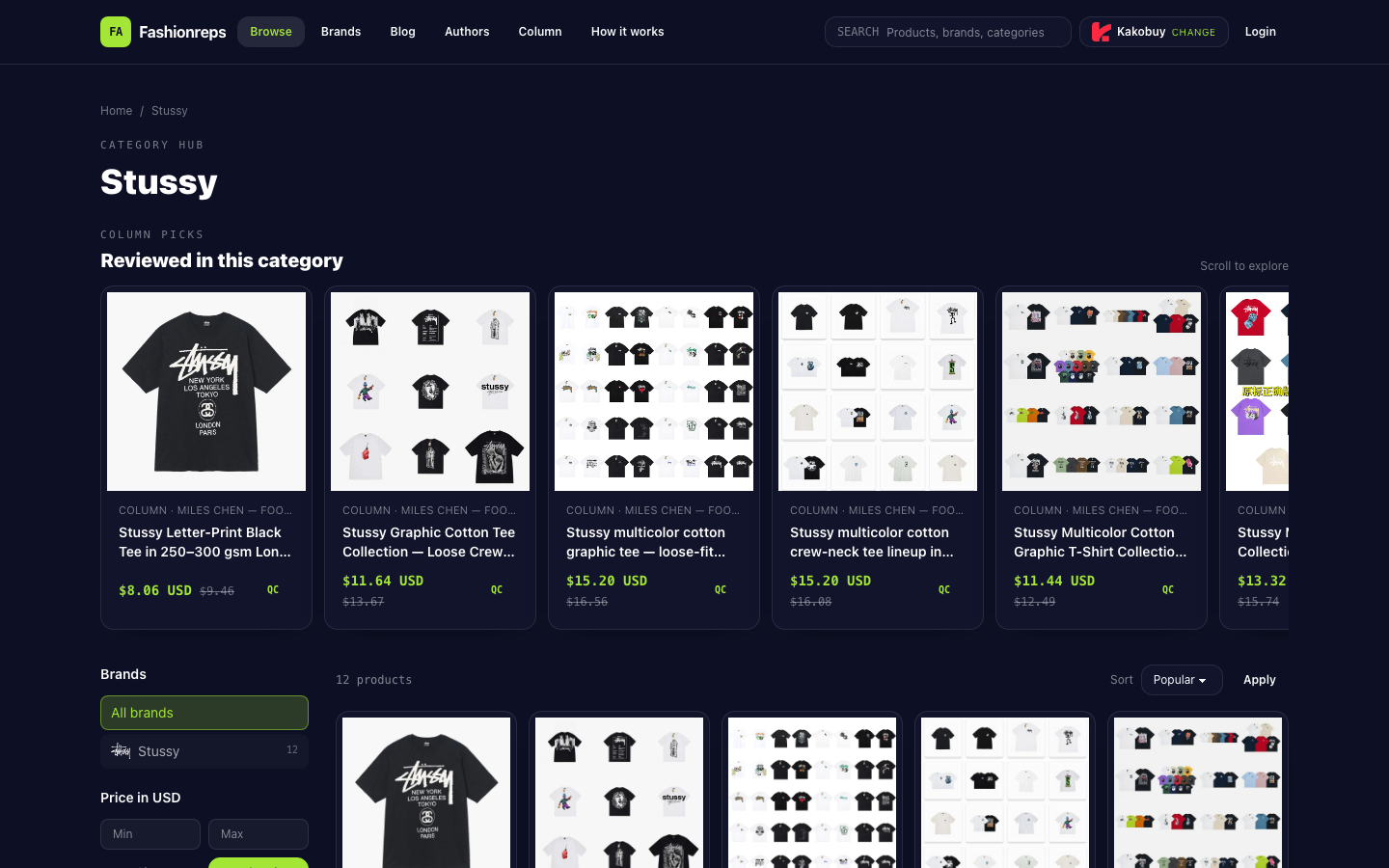
When buying a Stussy black letter tee, seeing "discount," "special price," or a coupon code doesn't mean your final order will actually save money. The public page currently only confirms that this site displays the Stussy Letter-Print Black Tee, with a reference price of $8.06 and a previous reference price of $9.46; the page does not provide a directly verifiable coupon code, validity period, minimum spend, or checkout result. Therefore, judging whether
Editor score 4.2 / 5
When buying a Stussy black letter tee, seeing "discount," "special price," or a coupon code doesn't mean your final order will actually save money. The public page currently only confirms that this site displays the Stussy Letter-Print Black Tee, with a reference price of $8.06 and a previous reference price of $9.46; the page does not provide a directly verifiable coupon code, validity period, minimum spend, or checkout result. Therefore, judging whether an offer truly applies should focus on product matching and checkout page verification, not the promotional text itself.

Lock in the Correct Product and Variant First
The same brand category page may display multiple black tees or tees with letters and graphics. Before using an offer, record the following:
- Full product name or product page title
- Product link or page screenshot
- Whether the color is indeed black
- Target size
- Currently displayed product amount
- Time shown on the page
Do not judge applicability based solely on "Stussy black tee" in search results. The public category page lists multiple different styles, so only after entering the specific product page and selecting color and size can you confirm whether the item in your cart matches the one referenced in the offer.
Check Offer Conditions Against Seven Items
If an offer comes from a product page, cart, on-site popup, or other public entry, record each item rather than just saving the code:
- Applicable products: Confirm whether it is limited to a specific product, series, color, or size.
- Minimum spend: Confirm whether the threshold is based on the product amount or the amount after other discounts.
- Validity period: Record the start time, end time, and time zone shown on the page.
- Exclusions: Check whether sale items, specific brands, specific categories, or shipping are excluded.
- Usage limit: Confirm whether it is once per account or reusable in the same order.
- Stacking restrictions: Confirm whether it can be combined with product page markdowns, store promotions, or other coupons.
- Checkout scope: Confirm whether the offer only reduces the product amount or affects shipping, service fees, or other charges.
If the page does not clearly state one of these, do not fill in your own interpretation. For example, seeing "special price" does not mean you can infer it is the price after a coupon, nor can you infer that additional discounts can be stacked.
Perform Three Checks on the Checkout Page
Add the item to your cart and select the target color and size, then proceed to checkout. Follow this order:
First check: Is the offer accepted?
After entering a coupon code or selecting an available offer, see whether the page displays a clear offer name, discount amount, or new subtotal. If it only shows "applied" but no amount change, do not proceed to payment immediately; recheck the applicable products and threshold.
Second check: Did the amount change as expected?
Separately record the subtotal, discount amount, shipping, and order total before and after applying the offer. Do not compare only the product sticker price, because shipping or other fees may keep the order total from dropping simultaneously.
Third check: Confirm order status before submission
Before final submission, confirm that the offer still appears in the order summary. If the offer disappears after returning to the product page, switching variants, changing quantity, or logging in again, re-verify; do not pay based on a previous screenshot.
Use the following recording format to distinguish "page promotion" from "actual application":
| Check item | What to record | Basis for judgment |
|---|---|---|
| Product match | Product name, color, size | Completely matches the offer description |
| Usage conditions | Threshold, validity, exclusions, stacking limits | Page has clear text or rules |
| Checkout result | Subtotal before/after, discount amount, shipping, total | Actually shown in checkout summary |
What to Do When There's No Public Coupon Code
Currently available public information does not provide a verifiable coupon code for the Stussy black letter tee, nor does it show that the product successfully used an offer in a specific checkout scenario. Therefore, you cannot promise a discount percentage, savings amount, or validity period based on this.
If you see an offer on a page, account, or promotional message, supplement evidence as follows:
- Save a complete screenshot including the offer description, scope, and time.
- Record the date, time, and page where the screenshot was taken.
- Verify in the cart with the same product, color, and size.
- If conditions are unclear, confirm with platform customer service whether it applies to that product and whether it can be stacked with existing offers.
- Rely on customer service replies and actual checkout amounts, not promotional titles or search snippets.
If customer service only confirms "there is a promotion" without confirming the specific product, variant, and threshold, it is still insufficient to prove the offer applies to your target order.
Stop Payment If These Situations Occur
If you encounter any of the following, pause before submitting the order:
- The offer description lacks a validity period or applicable product scope.
- After selecting black or a size, the offer disappears from the cart.
- The page shows it is used, but the subtotal or order total does not change.
- The discount amount on the checkout page differs from the advertised amount without explanation.
- The offer only works after changing product or quantity for unclear reasons.
- The page requires an unstated spending threshold.
- Whether the offer includes shipping, service fees, or other charges cannot be confirmed.
- The product names shown on the product page, cart, and checkout page are inconsistent.
For this product, the currently verifiable information is enough to confirm the product identity and reference price, but not enough to prove a usable coupon code or determine a discount. Only when the specific product variant meets the conditions, the offer rules have a clear basis, and the checkout page actually shows a reduction can you consider it a valid offer for this order.